PROJECT UPDATE: A simulation you cannot steer is a screensaver
Zoom that keeps the point under the cursor, drag to pan, speed that does not break the integrator, and an arcade mode that teaches orbital mechanics faster than any diagram.
- Personal projects
- Work in progress
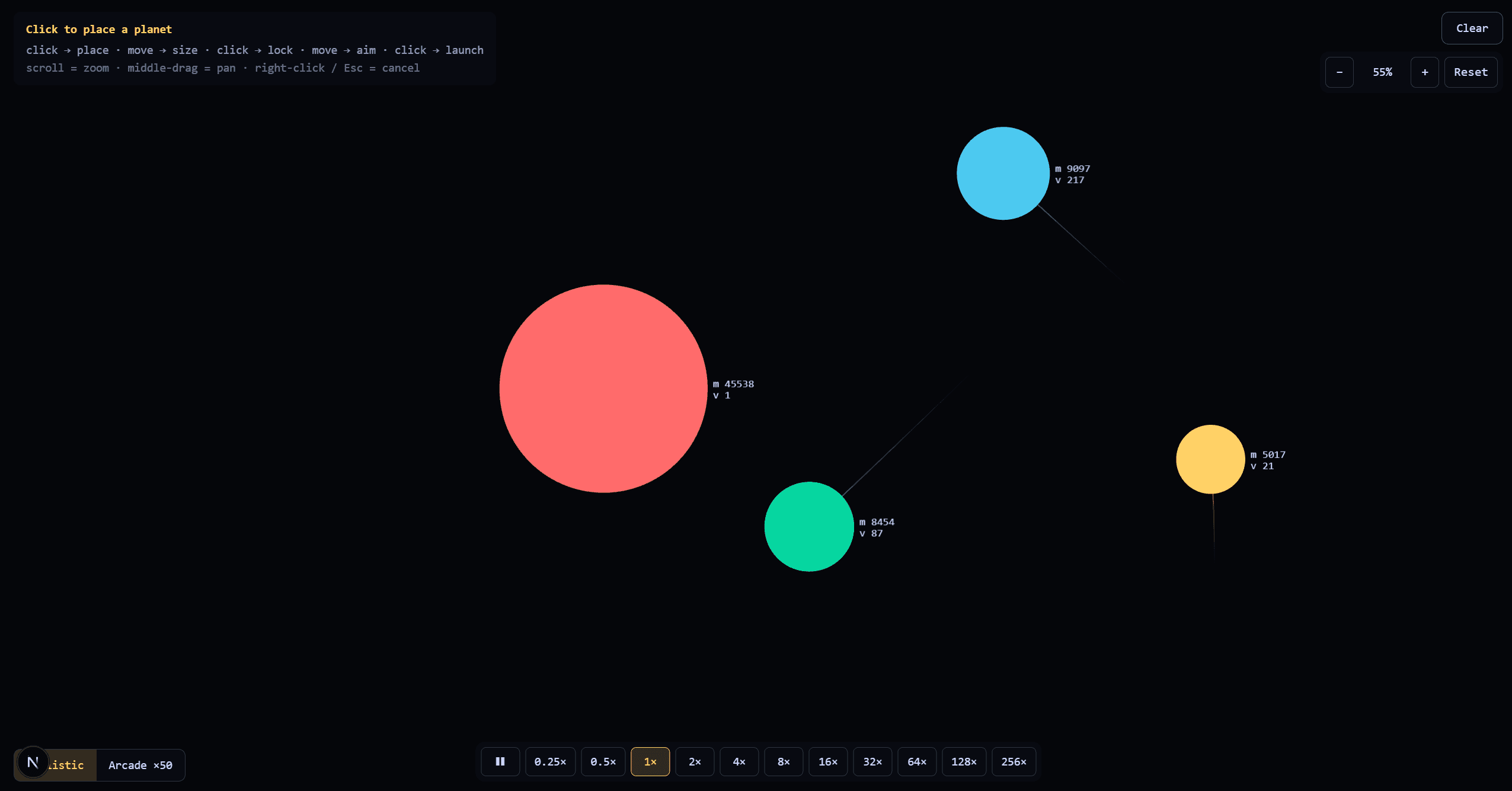
A simulation you cannot steer is a screensaver. The engine had been producing correct orbits for a day, and watching them was still unpleasant: one fixed viewport, one speed, and no way to follow anything that left the frame.
So this was a day of controls. More speed options, map drag, better zoom, and an arcade mode. Most of it is interface rather than physics — and the last one is the exception, which is why it is called what it is called.
Zoom that keeps the point under the cursor
Naive zoom scales about the origin, which means the thing you were looking at slides away exactly when you try to look at it more closely. The behaviour people expect is that the point under the pointer stays under the pointer.
That is one equation. Given a screen point s, a camera offset c, and a scale k, the world point
under the cursor is:
w = (s − c) / k
Zooming means picking a new scale k' and then solving for the offset that keeps w mapping to the
same s:
c' = s − w · k'
   = s − ((s − c) / k) · k'
Which reduces to a form that is much easier to read in code:
c' = s − (s − c) · (k' / k)
Panning is the easy half — accumulate the pointer delta straight into c:
c' = c + (s[n] − s[n-1])
Zoom steps multiply rather than add, so each notch of the wheel changes the view by the same proportion regardless of how far in you already are:
k' = k · z^n z ~ 1.1, n = wheel notches
Clamped at both ends, because a scale of zero is a division by zero and a scale of ten thousand is a single pixel filling the screen.
Speed, and why it is not one slider
The tempting way to add a speed control is to multiply the timestep. It is also the way to break the
integrator: Δt is the one parameter the whole method's stability rests on, and doubling it does not
run the simulation twice as fast so much as make it twice as wrong. Orbits that were closed start
precessing; close encounters stop resolving.
The honest lever is the number of steps per frame, not the size of them:
per frame: repeat N times -> step(Δt)
Δt stays where the integrator is well behaved, and speed becomes N. Ten times the speed is ten
times the work rather than ten times the error — which is a real cost, and it is a large part of why
optimisation became its own problem a few days later.
Arcade mode
The one control that is not a camera control, and the one that is not honest either. Arcade mode multiplies gravity by fifty.
It is a single constant, and that is the whole implementation:
G_arcade = 50 · G
The reason it exists is impatience. A system with plausible masses and distances evolves at a pace
that is correct and slow — you set something up, and then you wait to find out whether it holds. The
steps-per-frame lever above solves that properly, and it costs fifty times the arithmetic to get
fifty times the pace. Cranking G costs nothing.
But it is not a fast-forward, and the difference is the interesting part. More steps per frame
computes the same trajectory sooner. Multiplying G computes a different trajectory. The system
you are watching in arcade mode is not the one you built, played faster — it is a system in a
universe where gravity is fifty times stronger.
Kepler's third law says how much faster that universe runs:
T² = 4π²a³ / GM -> T ∝ 1 / sqrt(G)
So fifty times the gravity is about seven times the pace, not fifty — and only for a system whose velocities were chosen for it.
Existing systems were not. Circular velocity is v = sqrt(GM / r), so a body that was in a clean
circle is suddenly at about a seventh of the speed its orbit now requires:
v_needed / v_actual = sqrt(50) ~ 7.07
Which means everything falls inward. Orbits collapse into steep ellipses, near-misses become collisions, and bodies that were comfortably escaping get caught — escape velocity went up by the same factor. Turn it on and a tidy solar system becomes a pile-up.
That is a defect if you read the mode as a fast-forward and a feature if you read it as what it is: the button that stops the simulation pretending. It is also genuinely useful, because seven times the pace and a hard shove inward is a quick way to find out whether a configuration was ever stable or merely had not fallen over yet.
What this bought
The camera work changed nothing the engine produces — it changed whether the numbers are worth watching, which turned out to be the thing standing between a working integrator and a project I wanted to keep opening. Arcade mode is the opposite: it changes the numbers on purpose, and it is the only place in the project that does.