PROJECT UPDATE: Planetar has an address
Deploying a Next.js app to GitHub Pages as a static export, and the sub-path problem that quietly breaks every asset URL until you tell the build where it lives.
- Personal projects
- Work in progress
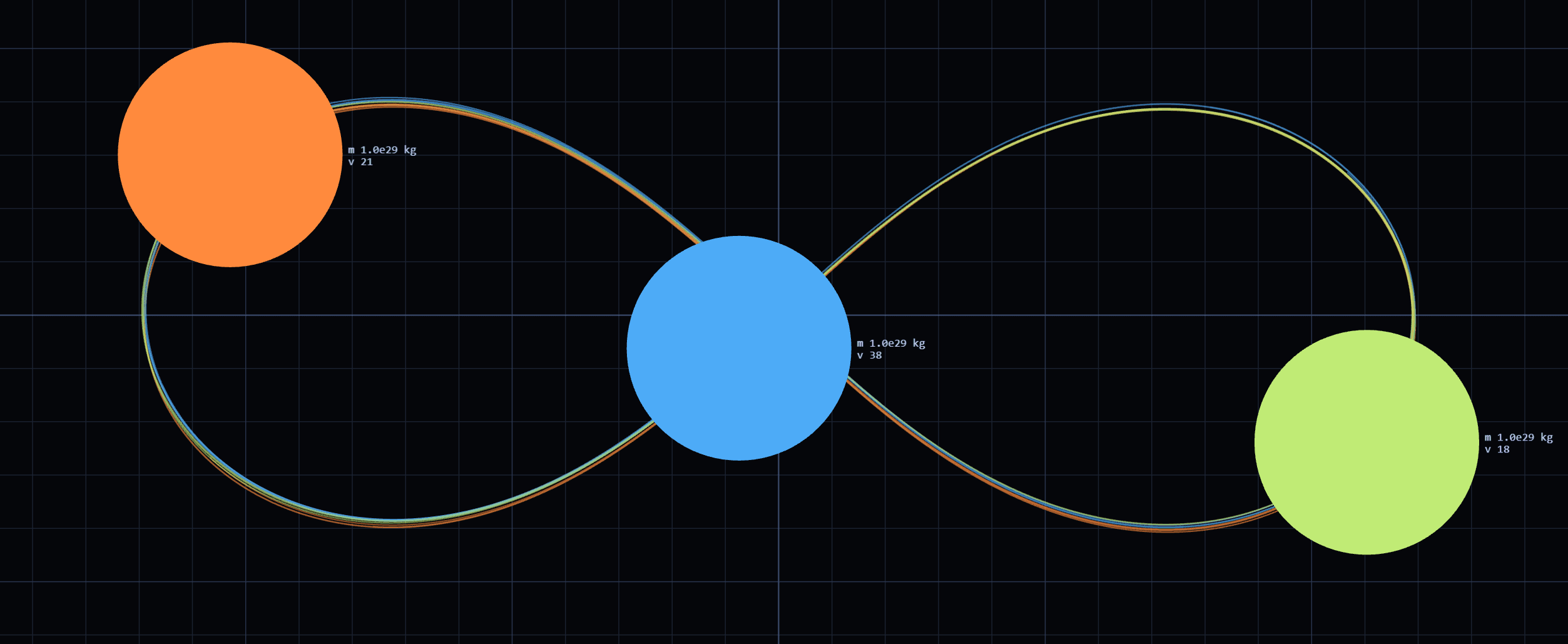
A simulation that only runs on my machine is a screenshot. This was the day Planetar got an address:
ivan-chaos.github.io/planetar-fe(opens in a new tab)
Why Pages, for this
The app is a Next.js project, and the reflexive answer for a Next.js project is Vercel — the README
that create-next-app writes even says so. For this one it would have been the wrong tool, and the
reason is worth stating because it is the whole shape of the project.
Planetar has no server. There is no API, no database, no authentication, no rendering that has to happen anywhere but in the tab it is running in. The engine is a package of arithmetic and the app is a canvas. Every byte it needs can be computed at build time and handed over as static files.
Given that, a static host is not a compromise — it is an exact fit. GitHub Pages sits next to the repository, costs nothing, and has no moving parts to go wrong. And the constraint it imposes turned out to be a useful discipline: nothing about this project is allowed to quietly acquire a backend without me noticing, because the deploy would stop working.
The two things that break on a project path
Pages serves a project site from a sub-path — /planetar-fe/, not /. That single fact is
responsible for essentially all of the deployment work, and it fails in a way that looks like the
site is fine until you notice everything is missing.
Every absolute asset URL breaks. A build that emits /_next/static/… requests the root of the
domain, which on a project site is somebody else's site. The fix is telling the build what path it
will live at, so those references are emitted with the prefix already on them.
Static export has to be turned on explicitly. The build needs to emit plain HTML and assets with no Node process behind them — and it will fail loudly rather than silently if the app uses anything that requires a server, which is exactly the guard I wanted.
The other Pages-specific detail is a .nojekyll marker. Pages runs uploads through Jekyll by
default, and Jekyll ignores directories beginning with an underscore — which silently deletes
_next/, the entire application. It is a zero-byte file that stands between a working deploy and a
completely blank page, and it is the single most-hit trap in this whole setup.
Deploying from Actions, not from a branch
The older way to publish to Pages is to commit built output to a gh-pages branch. It works, and it
puts build artefacts in version control — which means every deploy is a commit full of minified
JavaScript, and the repository's history stops being a record of what was written and becomes a
record of what was compiled.
Building in Actions and uploading the artefact directly keeps the repository to source. The workflow
is the ordinary shape: check out, install, build, upload, deploy. What matters is that it is
triggered by a push to main, so there is exactly one way for the live site to change, and it is the
same way the source changes.
push to main
  +-- build   -> static export
  +-- upload  -> pages artefact
  +-- deploy  -> ivan-chaos.github.io/planetar-fe/
What deployment changes about a side project
More than I expected. A local project is finished when you stop working on it. A deployed one has a URL, which means it has an audience of at least one person who is not you — and a lot of things that were tolerable become obviously not.
The first load being heavier than it needed to be mattered now. So did the fact that the simulation started paused with an empty canvas, which reads as broken rather than as waiting. Neither was a bug. Both were the kind of thing you only see when you open your own project the way a stranger would, from a cold cache, on a URL you have to type.
The source is on GitHub(opens in a new tab), and the deployment is whatever
is on main right now.